


10 Best TransferNow Alternatives
Need to transfer huge files, sometimes over 500GB, but TransferNow just isn’t cutting it? You’re not alone. Many users run into the same problem. TransferNow lets you send files up to 4GB, or 5GB in rare cases, which works for small tasks but quickly becomes frustrating for professional work. And let’s be honest, the throttled speeds can make it feel like you’re waiting forever—more like “Transfer And Wait A While.”
Thankfully, the digital world has plenty of better TransferNow alternatives that make sharing large files fast, simple, and stress-free. My research highlights the top services, including familiar names like WeTransfer, but also lesser-known options that pack a punch.
Looking at a TransferNow vs WeTransfer comparison, it’s clear that TransferNow doesn’t work for everyone. Services like SendBig let you send up to 30GB for free, which gives you way more flexibility than TransferNow’s 5GB limit.
This piece will help you discover faster, safer, and quickest ways to transfer files in 2025. We tested multiple solutions and checked verified reviews (Capterra has verified over 2.5 million reviews). You’ll learn about ten alternatives that excel where TransferNow doesn’t measure up.
Why Choose TransferNow Alternatives?
While TransferNow works well for many users, its limitations make people look for better TransferNow alternatives. The biggest issue is the file size limit. The free plan only allows 5GB, which can be frustrating for high-resolution videos or large design files. Even paid plans have caps that can slow down professional workflows.
Transfer speed is another reason users choose TransferNow alternatives. Uploads can be slower compared to other file transfer services, especially for users outside Europe because TransferNow servers are Europe-based.
Security is important for industries like healthcare, finance, and legal. TransferNow offers password protection and antivirus scanning, but other TransferNow alternatives provide stronger security features such as end-to-end encryption and detailed access logs.
The user experience can also push you to explore TransferNow alternatives. Free accounts show ads which make transfers look less professional and mandatory email validation adds extra steps that slow down the process.
Professional users miss features that TransferNow doesn’t have:
- Few branding options to customize download pages
- Poor connections with tools like Google Workspace or Microsoft 365
- Files disappear after 7 days
- No storage space if you use it free
- You can only send to 10 people at once on free plans
TransferNow works well for personal use, but businesses often need more. Companies that send large files, vendor payments, or team projects require features like multi-user permissions and batch transfers, which TransferNow lacks. These limitations are why many professionals turn to TransferNow alternatives that offer higher limits and more robust tools.
1. WeTransfer
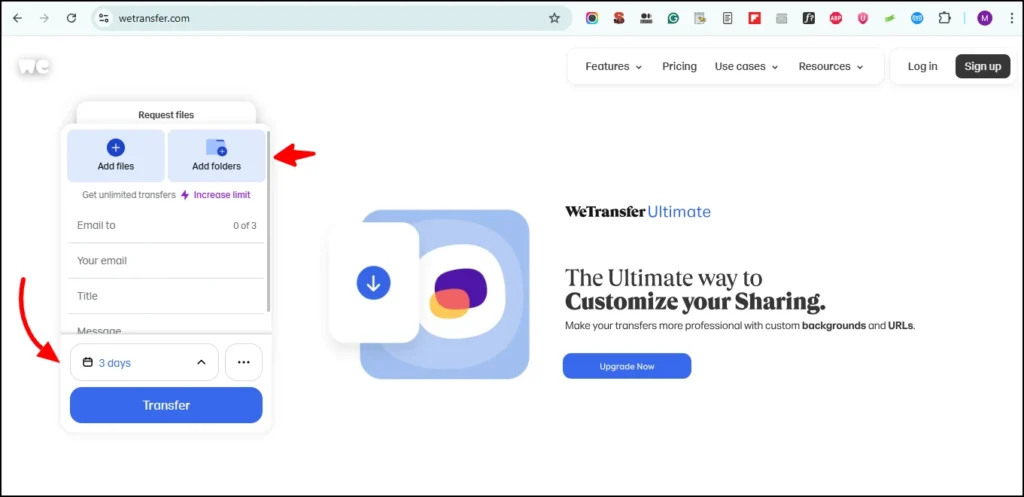
WeTransfer is a top choice among TransferNow alternatives for fast and easy file sharing. It lets you send files up to 2GB for free without needing to sign up, making it perfect for both personal and professional transfers. With its clean interface, secure uploads, and optional Pro plan for larger files and advanced features, WeTransfer ensures a seamless experience for anyone who wants to share files quickly and safely.
WeTransfer Key Features
WeTransfer is one of the most reliable TransferNow alternatives, offering a simple and secure way to share files online. Its key features include:
- Upgrade Options: Switch to WeTransfer Pro for larger file limits, branding, and additional security.page.
- Generous Free Limit: Send files up to 3GB with the free plan.
- Flexible Sharing Options: Share files through email transfers or direct download links.
- Built-in Security: Protect transfers with passwords, plus 256-bit AES encryption for storage and TLS encryption during transfer.
- Cross-Platform Access: Use WeTransfer seamlessly on desktop or through its dedicated iOS and Android apps.
WeTransfer Pros and Cons
Pros:
- The easy-to-use, clean interface gets praise from 96% of reviewers
- You can transfer files without creating an account
- You receive notifications when files are downloaded
- The paid plans let you customize backgrounds and branding
Cons:
- The free plan limits you to 10 transfers monthly
- Your files expire after 7 days on the free plan
- The platform does not support end-to-end encryption
- The free version shows advertisements
WeTransfer Pricing
- Free: 3GB file size, 10 transfers monthly
- Starter: $6.99/month, 300GB file size, 10 transfers monthly
- Ultimate: $25.00/month, unlimited transfers and sizes
WeTransfer Best Use Case
Creative professionals who need simple file sharing will find WeTransfer most useful. The platform started as a tool for design projects and works best for occasional large transfers. It’s perfect for collaborating with clients who might struggle with complex platforms.
2. FileMail
If you are looking for a file transfer service that removes restrictions, FileMail is one of the best TransferNow alternatives you can try. Unlike TransferNow, which limits free transfers to 5GB, FileMail allows you to send and share files of any size or format. This makes it especially useful for creators, businesses, and professionals who often deal with massive video files, design projects, or high-resolution media.
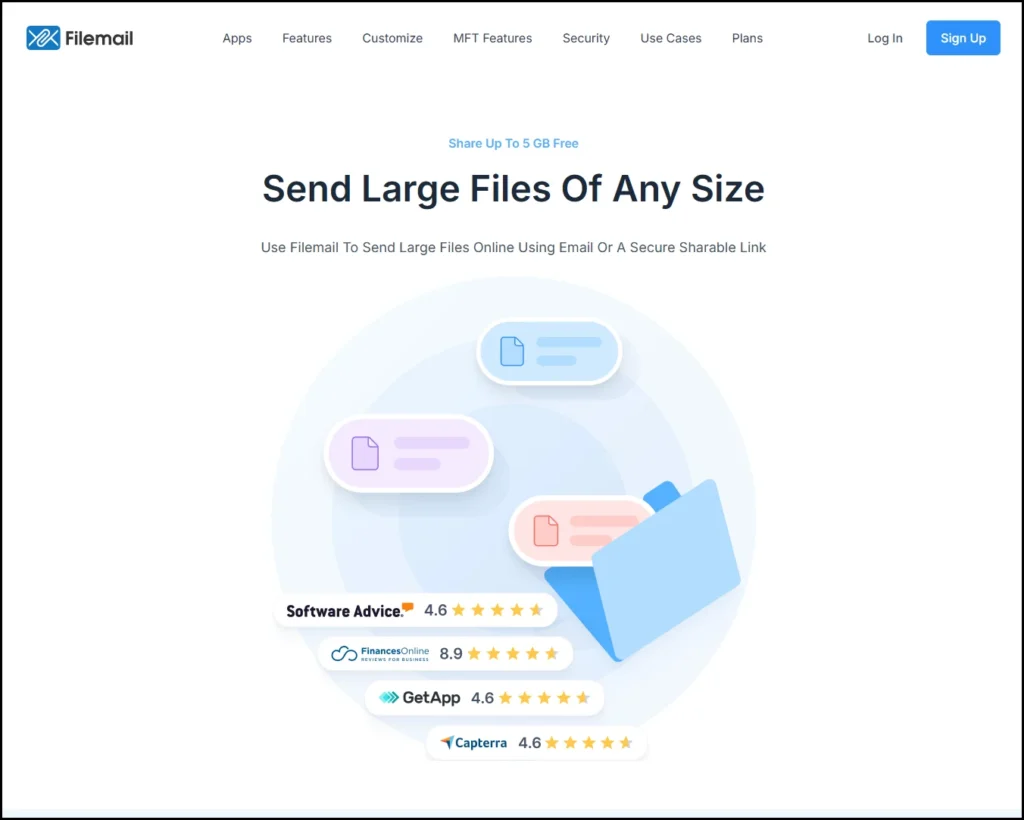
With the free plan, you can send files up to 5GB through a simple link or email transfer. Paid plans unlock unlimited transfers, faster upload and download speeds, longer storage times, and advanced tracking options. FileMail also focuses on security by offering encrypted transfers, download confirmations, and delivery tracking.
For teams and organizations, FileMail provides extras like custom branding, dedicated servers, and workflow integrations, giving businesses the flexibility they need for regular large-scale file sharing.
FileMail Key Features
FileMail has a complete set of features that make file sharing smooth. Business and Enterprise plans support file transfers of any size. This makes it perfect for professionals who work with large media files.
FileMail beats TransferNow with its globally distributed servers that deliver faster transfer speeds. The desktop apps for Windows, Mac, and Linux use UDP transfer acceleration technology to maximize your bandwidth.
Your files stay safe with end-to-end encryption through HTTPS protocol and anti-virus scanning for all files. Business and Enterprise users get extra security with encryption at rest, 2-factor authentication, and SAML/SSO integration.
The platform works everywhere with native apps for Android, iPhone, iPad, Windows, Mac, Linux, and even comes with a Microsoft Outlook plugin.
FileMail Pros and Cons
Pros:
- Send any size files with Business and Enterprise plans
- Resume interrupted transfers on all plans
- Automatic file download makes workflow smooth
- Custom subdomain and branding options give a professional look
- No bandwidth limits on paid plans
Cons:
- Free plan only allows 5GB file size
- Files stay available for just 7-30 days on free and lower-tier plans
- Lower-tier plans lack customization options
- Transfer speeds can be slow sometimes
FileMail Pricing
FileMail comes in four pricing tiers:
- Personal: 5GB max file size, 250GB storage, files stay for 30 days
- Pro: 250GB max file size, 1TB storage, plus password protection
- Business: No file size limits, permanent storage, 1TB per user, advanced security
- Enterprise MFT: Custom storage with extra compliance features (GDPR, HIPAA, ISO27001)
FileMail Best Use Case
FileMail shines as a TransferNow alternative for professionals and businesses who need secure, large file transfers. The service works great for:
- Media production companies sending uncompressed video files
- Design agencies sharing high-res assets with clients
- Businesses that need branded file sharing
- Teams that must track file access for compliance
Users love FileMail’s reliability. One customer mentioned they’ve “only had 3 or 4 fails in 5 years”. The automatic file download feature saves time since files are “already on our server” when needed.
3. Smash
Smash stands out as a TransferNow alternative that removes all size restrictions for file transfers. Since 2017, this service has made file sharing simple and efficient for both personal and professional users.
Smash Key Features
Smash offers several unique features that make it different from TransferNow:
- Unlimited file size transfers on the free plan, though files above 2GB upload more slowly
- End-to-end encryption for all files in transit and at rest
- Password protection as a standard security feature
- Customizable transfer links and download pages with logo and background options
- Multiple access options including website, mobile apps (iOS/Android), MacOS app, and API
- File drop links to receive files securely from others
- Outlook integration through a dedicated plugin
The service’s short-term transfer approach reduces CO2 emissions by 90% compared to email attachments.
Smash Pros and Cons
Pros:
- No size limits on any plan
- Strong security with end-to-end encryption and password protection
- Quick access without account creation
- Automatic file deletion after transfer improves security
- Brand-friendly interface options
Cons:
- Free transfers above 2GB take longer to process
- Files stay available for up to 30 days only
- The web interface needs improvement
- Storage is not permanent
Smash Pricing
Smash provides several pricing options with current promotional rates:
- Free Plan: 2GB per transfer with priority, unlimited monthly transfers, 7-day file availability
- Pro Plan: €4.80/month (~$5.00) with 250GB transfer size, 1TB storage, 30-day file availability
- Team Plan: €12/month for up to 10 users, 250GB transfer size, 2TB storage, 30-day file availability
- Enterprise Plan: Custom pricing with tailored features and storage options
Smash Best Use Case
Creative professionals who work with large files will find Smash very useful. The service helps designers, videographers, photographers, and advertising teams send huge media files without compression. Brand consistency stays intact through customized download pages.
The ability to send files of any size makes Smash perfect for one-time large file transfers that don’t need permanent storage. Delivering final projects to clients becomes easier without creating accounts or worrying about size limits.
4. Dropbox Business
Dropbox Business emerges as a resilient TransferNow alternative that combines reliable file-sharing infrastructure with detailed collaboration tools. The platform delivers more than simple file transfers by providing extensive storage and enterprise-grade security features.
Dropbox Business Key Features
Most Dropbox Business plans support file transfers up to 100GB, while Enterprise users can transfer up to 250GB.
Teams using the Standard plan start with 5TB of storage, and Advanced plan users get 15TB.
The platform includes these productivity-boosting features:
- PDF editing and e-signatures
- Password-protected file sharing
- File recovery up to 180 days (Standard) or 1 year (Advanced)
- Team folder organization with granular permissions
- Integration with popular productivity tools
Every plan includes 256-bit AES and SSL/TLS encryption. Advanced and Enterprise tiers add end-to-end encryption and advanced key management.
Dropbox Business Pros and Cons
Pros:
- Storage starts at a generous 5TB
- Flexible file recovery options
- Smooth integration with productivity tools
- Powerful security features that get better with higher tiers
- Reliable business cooperation tools
Cons:
- Costs more than dedicated file transfer services
- Team plans need at least 3 users
- Lower tiers lack zero-knowledge encryption
- Not optimized for one-time transfers
Dropbox Business Pricing
These are Dropbox Business’s available tiers:
- Standard Plan: $15.00/user/month (annual billing) with 5TB team storage
- Advanced Plan: $24.00/user/month (annual billing) with 15TB+ team storage
- Enterprise Plan: Custom pricing with tailored storage solutions
Professional users can choose the Professional plan at $16.58/month with 3TB storage.
Dropbox Business Best Use Case
Design agencies, marketing teams, and creative studios that share large files with clients will find Dropbox Business invaluable. The platform combines file transfers with ongoing collaboration needs.
Teams can “collaborate seamlessly and deliver work faster”. Organizations that need both file transfers and detailed document management will benefit from this solution. Success stories highlight its impact – one engineering firm reported it “saves us 40 percent of the time when we’re trying to collaborate with large files”.
5. Google Drive
Google Drive is a budget-friendly alternative to TransferNow that combines smoothly with other Google tools. This cloud storage platform has powerful sharing features and works well for both personal and business needs.
Google Drive Key Features
Google Drive lets you upload files up to 5TB in size – this is a big deal as it means that it surpasses TransferNow’s limits. The platform checks files under 100MB for viruses and malware to ensure simple security. Users can upload up to 750GB of data each day across their drives.
Key sharing features include:
- Different permission levels (viewer, commenter, editor, owner)
- Password protection and expiration dates for shared links
- Direct connection to Gmail for attachment management
- Shared editing on over 100 file types
Google Drive Pros and Cons
Pros:
- 15GB free storage shared with other Google services
- Smart AI-powered search features
- Natural integration with Google Workspace apps
- Built-in malware scanning for files
- Quick keyboard shortcuts for navigation
Cons:
- Upload speeds max out at 45MB per second
- Few advanced security options beyond simple sharing controls
- Storage space shared with Gmail and Google Photos
- Privacy risks since Google scans content for keywords
- Large files sometimes fail to upload
Google Drive Pricing
The free plan has 15GB of storage. Google One paid plans include:
- Basic: 100GB at $1.99/month ($19.99/year)
- Standard: 200GB at $2.99/month
- Premium: 2TB at $9.99/month ($99.99/year)
- More options up to 30TB at $149.99/month
Business plans start with 30GB per user on Business Starter and offer more pooled storage.
Google Drive Best Use Case
We use Google Drive most effectively when we’re already part of the Google ecosystem. Teams can work together on documents in real time. You can share medium-sized files securely. The platform works especially well for schools that share teaching materials and small companies that manage client files without their own IT setup.
Google Drive brings great value through its strong ecosystem connections if you need a TransferNow alternative with extensive integration features.
6. Nextcloud
Nextcloud gives security-focused users a self-hosted TransferNow alternative that lets you retain control over file transfers. This open-source platform lets you share files with improved security measures that most cloud services cannot match.
Nextcloud Key Features
Nextcloud stands out with its reliable sharing capabilities. Users get password protection, expiration dates for shared links, and the unique FileDrop feature that receives files anonymously. The platform supports end-to-end encryption in browser and desktop clients. Your data stays private throughout the transfer process.
File sharing is just the start. Nextcloud supports federation sharing so you can mount file shares from remote Nextcloud servers. You can create your personal cloud network and customize access permissions across platforms.
Nextcloud Pros and Cons
Pros:
- Self-hosting gives you complete data control
- End-to-end encryption delivers maximum security
- No file size limits (depends on your server)
- Precise access rights with detailed sharing permissions
- Microsoft environments integration
Cons:
- Self-hosted versions need technical expertise
- Some users report occasional bugs
- Server maintenance might be needed
- Learning curve steeper than basic transfer services
Nextcloud Pricing
Nextcloud’s pricing options include:
- Free: Open-source version (server costs apply)
- Standard: Starting at €67.89 per user/year
- Premium: €99.99 per user/year
- Enterprise: €195 per user/year with extra security features
Costs decrease as user count grows. Organizations with 200+ users see substantial price reductions.
Nextcloud Best Use Case
Organizations that need secure file transfers while keeping complete data sovereignty will find Nextcloud most valuable. Healthcare, legal, and financial sectors benefit from its compliance features and data protection capabilities.
The platform excels for teams that need more than basic file transfers. It includes integrated email, calendaring, and video verification for sensitive shares. Companies focused on GDPR or HIPAA compliance will appreciate Nextcloud’s German-based servers.
7. SendBig
SendBig stands out as a completely free TransferNow alternative that offers generous file size limits at zero cost. The service distinguishes itself by providing substantial capabilities while staying true to its free model.
SendBig Key Features
SendBig provides detailed file sharing capabilities that include:
- File transfers up to 30GB for registered users (5GB without account)
- End-to-end encryption with AES-256 bit standards and SSL/TLS protocols
- Resumable uploads allowing you to start transfers, shut down your computer, and continue later
- Self-destructing transfers through SendBig Snap that delete after first download
- MAX feature extending file availability up to 3 years
- Password protection for additional security
- ISO 27001 certified servers located in Europe
- Customizable expiry dates for transfers
SendBig Pros and Cons
Pros:
- Completely free across all plans
- Generous 30GB transfer size limit
- Strong security with end-to-end encryption options
- Resumable transfers even after system shutdown
- Customizable download pages with banner images
- Unlimited number of transfers
Cons:
- Limited support options (email only)
- Simple plan files expire after only 7 days
- Advanced features require account creation
- Promotional emails are opt-in by default (manual opt-out needed)
SendBig Pricing
SendBig surprises users by offering all its tiers at no cost:
- Basic SendBig: 5GB transfers without account, 7-day expiration
- SendBig Snap: Self-destructing files after single download
- SendBig MAX: 15GB transfers with 2-year availability
- SendBig Pro: Full features with account creation
SendBig Best Use Case
SendBig excels for users who need occasional large file transfers without subscription costs. The MAX feature serves bloggers, website owners, and social media managers who need long-term file availability. The Snap feature works great for sharing sensitive documents that should disappear after viewing.
My experience shows SendBig is a great fit for freelancers and small teams who need professional file sharing without recurring costs. The service boasts 99.99% uptime, which proves reliable even in its free version.
8. SwissTransfer
SwissTransfer stands out as a secure alternative to TransferNow, with its Swiss-based storage that appeals to security-conscious users. The service goes beyond basic file sharing by combining generous size limits with robust data protection standards.
SwissTransfer Key Features
The platform lets users send files up to 50GB per transfer without any cost or signup requirements. Your files stay accessible up to 30 days, which beats TransferNow’s timeframe. The security package includes end-to-end encryption and password protection to keep sensitive transfers safe.
Users can share files through email notifications or direct links. The Chrome and Firefox browser extensions make the workflow easier, and dedicated iOS and Android apps help you stay connected on the move.
SwissTransfer Pros and Cons
Pros:
- Generous 50GB free transfer limit
- No registration needed to send or receive files
- Swiss storage location with strict privacy laws
- No compression affects your original files
- Daily limit of 500 transfers
Cons:
- Service blocked in China, India, and Middle Eastern countries
- “Download All” works only for files under 10GB
- No way to track your previous uploads
- Upload speeds might lag based on your location
SwissTransfer Pricing
The pricing structure keeps things simple – SwissTransfer is completely free. This means:
- No premium tiers or subscriptions
- Zero hidden costs or forced upgrades
- Every feature available without payment
SwissTransfer Best Use Case
SwissTransfer shines when professionals need to handle sensitive or large media files. Creative pros, particularly filmmakers working with 4K/6K footage, love the mix of generous size limits and original quality preservation. The service works best for project delivery rather than long-term storage. Freelancers who need occasional large file transfers without creating accounts will find this platform perfect for their needs.
9. SendAnywhere
SendAnywhere stands out from TransferNow with its peer-to-peer approach to file transfers. The service skips cloud storage completely and focuses on direct device-to-device transmission to improve security.
SendAnywhere Key Features
The platform provides several secure ways to share files. The signature 6-digit key transfer creates a one-time code that works for 10 minutes and enables live transfers between devices. Users can generate share links that remain valid for 48 hours. The system lets users send files directly to specific devices without codes or links. Android users can use Wi-Fi Direct Transfer to share files without internet when devices are close.
SendAnywhere Pros and Cons
Pros:
- Desktop users can transfer files without size limits (up to 300GB reported)
- Works seamlessly across iOS, Android, Windows, Mac, and web
- End-to-end encryption secures all transfers
- Users can start sharing without registration
- The service doesn’t store files on servers, which adds privacy
Cons:
- Ads appear in the free version
- Free plan limits file transfers to 10GB per session
- Users need internet connection (except Wi-Fi Direct on Android)
- 6-digit key transfers expire after 10 minutes
SendAnywhere Pricing
Users can choose from these tiers:
- Free: Core features come with ads and 10GB session limit
- Lite: $5.99/month lets users download up to 200GB
- Standard: $9.99/month provides 500GB download capacity
SendAnywhere Best Use Case
Privacy-conscious users who need to move files between different operating systems will find SendAnywhere valuable. The service shines when sharing sensitive documents that shouldn’t stay in cloud storage. Users can transfer photos between devices quickly – they just need to generate a code and type it on the receiving device.
How to Send Large Files Using TransferNow
Sending large files with TransferNow is quick and straightforward — just follow these three simple steps:
1. Select Your Files
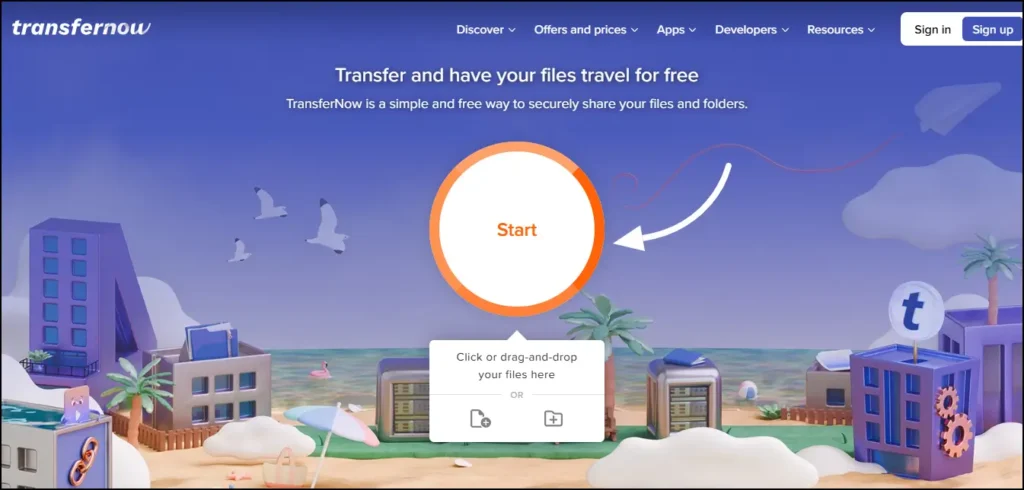
Click the Start button to choose files from your device, or simply drag and drop them anywhere on the interface. If you’re uploading multiple files, your folder structure stays intact for easy organization.
2. Fill Out the Transfer Details
Next, complete the transfer form. You can send your files directly to recipients via email or generate a shareable link to distribute as you like. Adding your own email address gives you a management link to track your transfer’s progress. You can also include a subject line and message to help recipients identify the files.
3. Transfer and Share
Click Transfer to confirm and start uploading. Once finished, recipients receive a secure download link by email, and you get a link to share manually if needed.
Bonus Features with a TransferNow Account
- Transfer files up to 250GB at once.
- Files remain available for 365 days.
- Enjoy strong security with password-protected downloads, AES-256 encryption at rest, and automatic antivirus scanning.
- Your personal dashboard tracks downloads and lets you tweak transfer settings.
- Reuse uploads by sending files to new recipients without uploading again.
- Business accounts include admin controls for user access and customization.
TransferNow vs WeTransfer
TransferNow and WeTransfer show several key differences as file transfer services in 2025.
The free plans of these services are quite different. TransferNow lets users send 5GB per transfer with no monthly limits. WeTransfer’s free tier only allows 3GB per transfer and caps users at 10 transfers monthly. The file storage time is different by a lot – TransferNow keeps files for 7 days while WeTransfer stores them for 3 days.
Both services have password protection features. TransferNow stands out by offering this without creating an account. The service also has free file previews for images, videos, and PDFs, plus customizable download links. WeTransfer’s free version doesn’t offer these features.
Premium plans show a clear price gap. TransferNow Premium costs USD 10.00 monthly, and WeTransfer Ultimate charges USD 19.00 monthly. Team pricing reveals an even bigger difference. TransferNow Team gives 10 user accounts at a flat rate of USD 30.00 monthly. WeTransfer Teams costs USD 25.00 monthly per user. A 10-person team would pay about USD 250.00 monthly with WeTransfer but only USD 30.00 with TransferNow.
Developer integration options set these services apart. TransferNow provides a complete API with pay-as-you-go pricing. WeTransfer stopped offering its public API in 2022, which limits integration options.
The Best Alternative to WeTransfer is TransferNow
TransferNow stands out as the best WeTransfer alternative in 2025 based on our analysis of multiple file-sharing platforms. TransferNow has outperformed since 2013 with more generous limits. Their free plans allow 5GB per transfer without monthly restrictions. WeTransfer users get only 3GB per transfer with 10 transfers or 3GB total over 30 days.
Teams save substantial money with TransferNow. A 10-person team pays about €250 per month with WeTransfer but only €30 per month with TransferNow. This huge cost difference makes TransferNow a smart choice for businesses.
TransferNow’s security features include automatic virus scanning on all files regardless of plan type. WeTransfer restricts this feature to paid accounts. Your files stay in France or nearby servers based on your location, which ensures better data protection.
TransferNow gives you several premium features at no cost that WeTransfer charges for:
- Password protection without mandatory account creation
- File previews for images, videos, and PDFs
- Customizable download links
- Email notifications upon download
Developers benefit from TransferNow’s detailed API that comes with flexible pay-per-use pricing. This allows smooth integration into different environments.
User reviews consistently praise TransferNow’s performance. Many who switched from WeTransfer say it’s “faster,” “more flexible,” and “less restricted”.
Best TransferNow Alternatives Comparison Table:
| Service | Max File Size (Free) | Max File Size (Paid) | File Storage Duration | Security Features | Basic Paid Plan | Notable Features |
| TransferNow | 5GB | 250GB | 7 days (free), 365 days (paid) | AES-256 encryption, antivirus scanning | Not mentioned | File preview, customizable links |
| FileMail | 5GB | Unlimited (Business) | 7-30 days | End-to-end encryption, antivirus scanning | Pro: 250GB max size | Resume interrupted transfers, UDP acceleration |
| Smash | Unlimited | Unlimited | 7 days (free), 30 days (paid) | End-to-end encryption, password protection | €4.80/month | No size limits, user-friendly interface |
| Dropbox Business | N/A | 100GB-250GB | Permanent | 256-bit AES, SSL/TLS encryption | $15/user/month | 5TB+ storage, file recovery |
| Google Drive | 15GB total storage | 5TB per file | Permanent | Simple malware scanning | $1.99/month (100GB) | Google Workspace integration |
| Nextcloud | Self-hosted | Self-hosted | Self-hosted | End-to-end encryption | €67.89/user/year | Self-hosting, complete data control |
| SendBig | 5GB (no account), 30GB (registered) | N/A | 7 days | End-to-end encryption, AES-256 | Free | Resumable uploads, self-destructing transfers |
| SwissTransfer | 50GB | N/A | 30 days | End-to-end encryption | Free | Swiss-based storage, no registration needed |
| SendAnywhere | 10GB/session | 200GB-500GB | 48 hours (links) | End-to-end encryption | $5.99/month | Peer-to-peer transfers, device-to-device sharing |
| WeTransfer | 3GB | Unlimited | 7 days | TLS encryption | $6.99/month | User-friendly interface, automated notifications |
Key Takeaways
When choosing file transfer services in 2025, several alternatives significantly outperform TransferNow’s limitations:
- SendBig and SwissTransfer offer the best free options – SendBig provides 30GB transfers completely free, while SwissTransfer allows 50GB without registration requirements
- FileMail and Smash excel for professional use – FileMail supports unlimited file sizes on business plans with resume capabilities, while Smash removes all size restrictions even on free accounts
- Security-focused users should consider Nextcloud or SwissTransfer – Both offer end-to-end encryption with data sovereignty, particularly valuable for compliance-sensitive industries
- Cost matters significantly for teams – TransferNow costs €30/month for 10 users versus WeTransfer’s €250/month, making it 8x more affordable for business teams
- Choose based on your primary need – One-time large transfers favor Smash or SwissTransfer, while ongoing collaboration benefits from Dropbox Business or Google Drive integration
The file transfer landscape has evolved beyond basic email attachment limitations. Whether you prioritize unlimited sizes, enhanced security, team collaboration, or cost efficiency, multiple services now deliver superior performance compared to traditional options like TransferNow and WeTransfer.
FAQs About Best alternatives to TransferNow
Q1. What are some of the best alternatives to TransferNow for sending large files in 2025?
Some top alternatives include SendBig (30GB free transfers), SwissTransfer (50GB free transfers), FileMail (unlimited file sizes on business plans), and Smash (no size restrictions even on free accounts). These services offer more generous limits and features compared to TransferNow.
Q2. Which file transfer service is most cost-effective for business teams?
TransferNow is significantly more cost-effective for teams compared to services like WeTransfer. A 10-person team costs approximately €30 per month with TransferNow, versus €250 per month with WeTransfer, making it about 8 times more affordable for business use.
Q3. What are the key security features to look for in a file transfer service?
Important security features include end-to-end encryption, password protection for downloads, antivirus scanning, and data sovereignty options. Services like Nextcloud and SwissTransfer offer enhanced security measures, particularly valuable for industries with strict compliance requirements.
Q4. How do free plans compare between popular file transfer services?
Free plan capabilities vary widely. For example, TransferNow offers 5GB per transfer with unlimited monthly transfers, while WeTransfer limits users to 3GB per transfer with a maximum of 10 transfers monthly. SendBig and SwissTransfer stand out by offering 30GB and 50GB free transfers respectively, without registration requirements.
Q5. What should users consider when choosing a file transfer service?
Users should consider their primary needs, such as file size limits, security requirements, collaboration features, and cost. For one-time large transfers, services like Smash or SwissTransfer excel. For ongoing collaboration, integrated solutions like Dropbox Business or Google Drive may be more suitable. Additionally, factors like ease of use, transfer speed, and file retention periods should be taken into account.