
Buy Expired Domains with Traffic for Fast Rankings
If you’re looking to rank faster in Google, high DA expired domains can give your website the authority boost it needs. These domains already have strong backlinks, domain authority, and sometimes even steady visitors. When you buy expired domains with traffic, you’re not just purchasing a name—you’re investing in existing SEO value that can save months of hard work.
Whether you’re building a new project, an affiliate site, or strengthening your SEO strategy, using high DA expired domains with real traffic helps you grow quicker and reach your audience more effectively.
[ez-toc]
Why Expired Domains Matter for SEO?
Building a new website from scratch takes time, search engines need to crawl, index, and trust your content before rankings improve. This is where expired domains come in. Unlike fresh domains, expired ones often carry existing authority, backlinks, and even residual traffic.
The biggest reason expired domains matter for SEO is their backlink profile. If the domain was previously linked to by reputable sites, those links can still pass authority to your new project. In addition, many high DA expired domains already have strong domain authority and trust signals that make it easier to rank faster in Google.
For businesses and bloggers who want quick visibility, choosing to buy expired domains with traffic can provide an immediate SEO advantage. Instead of waiting for organic growth, you inherit built-in trust, audience reach, and ranking potential, giving you a head start over competitors starting with a new domain.
How to Find Expired Domains?
If you want to grow a website faster, one smart trick is to buy expired domains with traffic. These are domains that once had real websites, backlinks, and visitors, but are no longer owned by anyone. Instead of starting from zero, you can pick up a domain that already has authority and use it for a blog, business, or SEO project.
Let’s break it down step by step so it’s super easy to understand.
Step 1: Go to ExpiredDomains.net
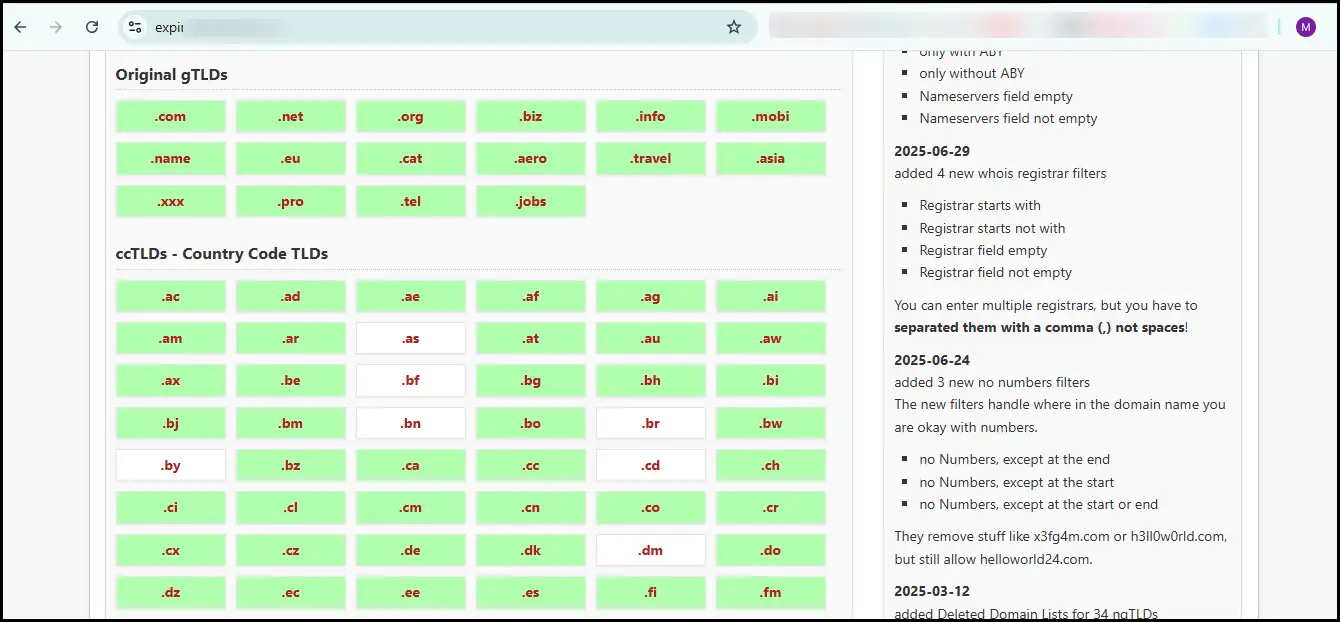
The best free tool for beginners is ExpiredDomains.net. This site collects thousands of expired domains every day.
- Open the website and create a free account (this unlocks extra filters).
- Once logged in, click on “Deleted Domains” or “Expiring Domains.”
- You’ll now see a huge list of domains, but don’t worry — we’ll filter them smartly.
Step 2: Use Smart Filters
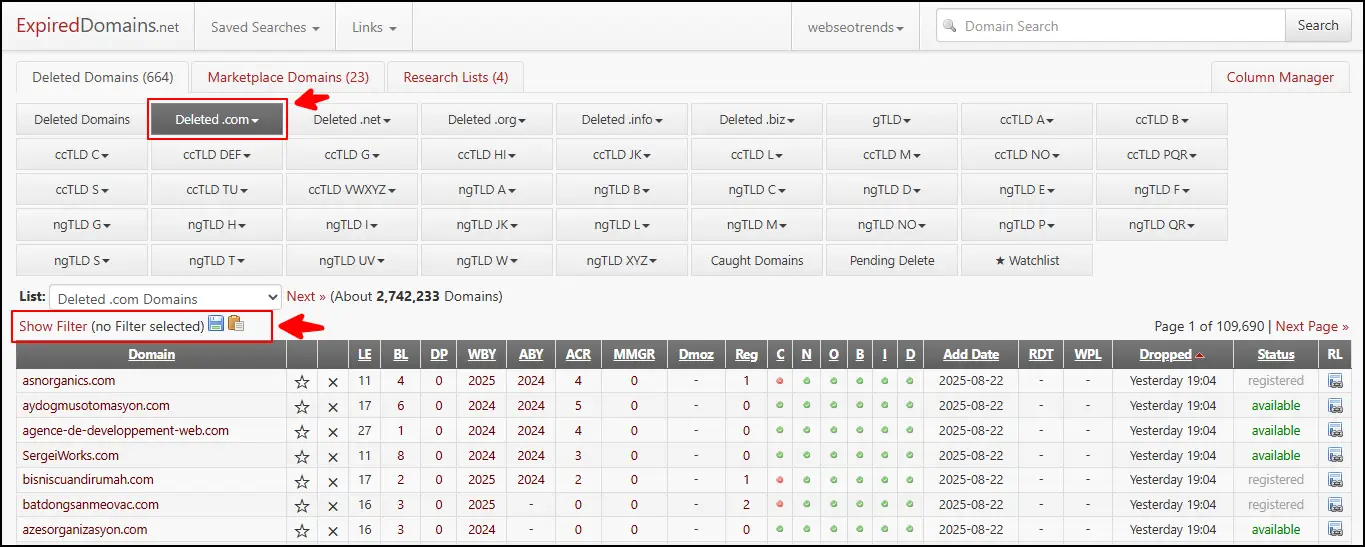
Instead of scrolling randomly, you can apply filters to find quality domains. Here’s what matters:
- Backlinks: Check how many websites are linking to the domain. More backlinks usually mean stronger SEO power.
- Domain Authority (DA) or Domain Rating (DR): A higher DA/DR score means the domain is trusted by search engines.
- Traffic: Look for domains that still get visitors. ExpiredDomains.net connects to traffic estimates, but you can double-check later with tools like Ahrefs or SEMrush.
- Clean History: Use the “Archive.org” (Wayback Machine) to check what the site used to be. Avoid spammy domains (like ones used for gambling, adult sites, or hacked content).
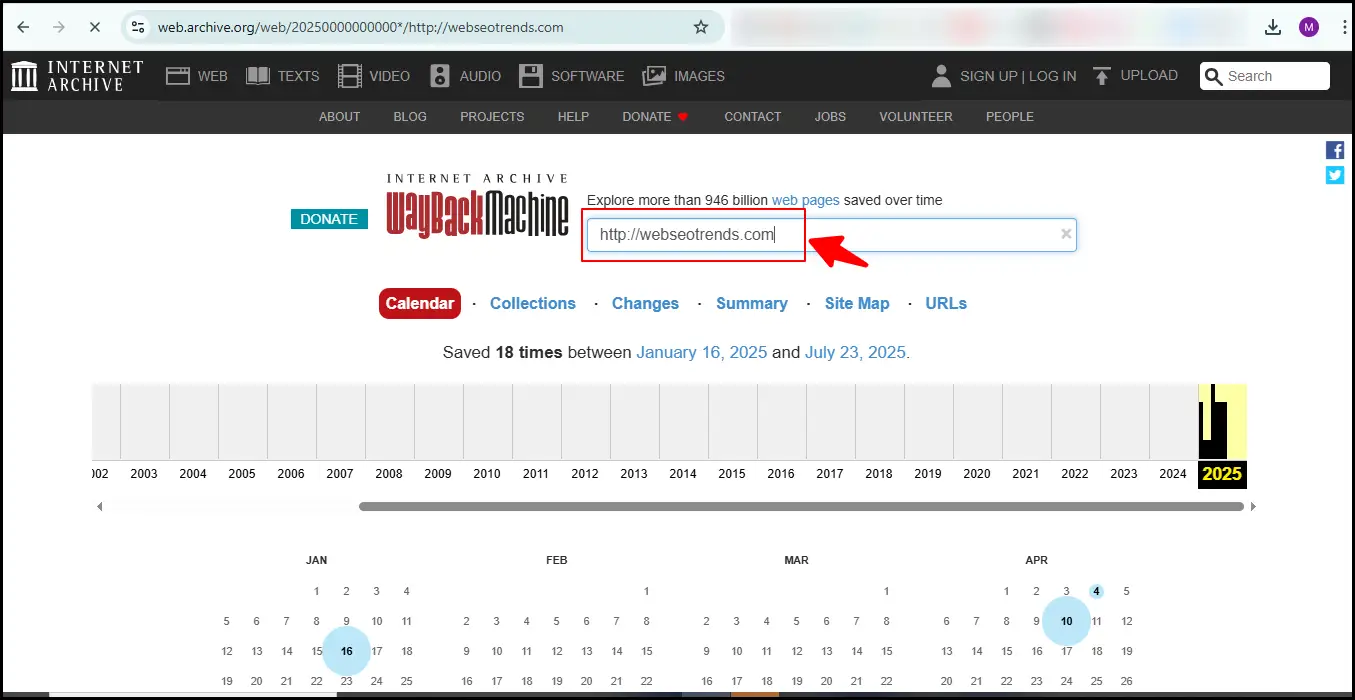
👉 Example: If you filter for .com domains with at least 50 referring domains and DA 20+, you’ll already cut out most junk.
Step 3: Check Domain Quality in Detail
Before buying, do a quick background check:
- Who linked to it? Open backlink data in SEO tools like Ahrefs, SEMrush, or Moz. If links come from high-authority sites (like news sites, universities, or niche blogs), that’s a good sign.
- Anchor Text: Make sure the links look natural (not full of spammy keywords like “cheap pills”).
- Google Index Check: Search
site:domain.comon Google. If nothing shows, the domain may be deindexed. Avoid those. - Spam Score: Tools like Moz show spam score. Stick to domains under 10–15%.
👉 Example: Suppose you find BestCookingTips.com (expired). If it has backlinks from food blogs and recipe sites, it’s perfect for starting a cooking blog or affiliate site.
Step 4: Buy the Domain
When you’re happy with the domain, you can register it:
- Many expired domains are available at normal prices ($10–$15/year) through trusted domain registrars like GoDaddy, Namecheap, or Dynadot.
- Some high-quality ones may only be available at auctions (where people bid).
👉 Tip: If you’re on a budget, stick to free-to-register expired domains. Auctions can go into hundreds of dollars.
Top Sites to Find Expired Domains (Free & Paid)
Not all expired domain tools are same. Some platforms offer free access with limited filters, while others provide advanced paid features like traffic data, backlinks, and domain authority checks. Choosing the right site can save time and help you find high-quality expired domains with real SEO value.
Here’s a quick list of Top Sites to Find Expired Domains:
Free Options
- ExpiredDomains.net – Best free tool with advanced filters.
- Namecheap Expired Domains – Good for budget-friendly finds.
- GoDaddy Auctions (basic view) – Some lists are free to browse.
Paid Options
- GoDaddy Auctions (Premium) – Huge marketplace, but competitive.
- DropCatch – Great for grabbing domains the second they expire.
- SpamZilla – Paid tool that saves time with deep spam and backlink checks.
- DomCop – Excellent for filtering by traffic, DA, backlinks, and price.
👉 If you’re new, start with ExpiredDomains.net (free). Once you get the hang of it, you can invest in tools like SpamZilla or DomCop for deeper analysis.
Tip: Always choose domains related to your niche. For example, if you want to start a fitness website, look for expired domains that previously had fitness blogs or workout content. That way, Google sees your site as a natural continuation.
How to Check Domain Quality Before Buying
Before you rush to buy domains with high domain authority, it’s important to carefully check their quality. Not every expired domain is worth the investment. Some may look attractive because they are cheap or come with backlinks, but they could also be risky—containing spammy links, penalties, or irrelevant history. Below is a step-by-step guide to help you choose the right expired domains with traffic and strong SEO value.
1. Check Domain Authority (DA) and Domain Rating (DR)
Domain Authority (by Moz) and Domain Rating (by Ahrefs) are two popular metrics that tell you how strong a website is in terms of backlinks and SEO power.
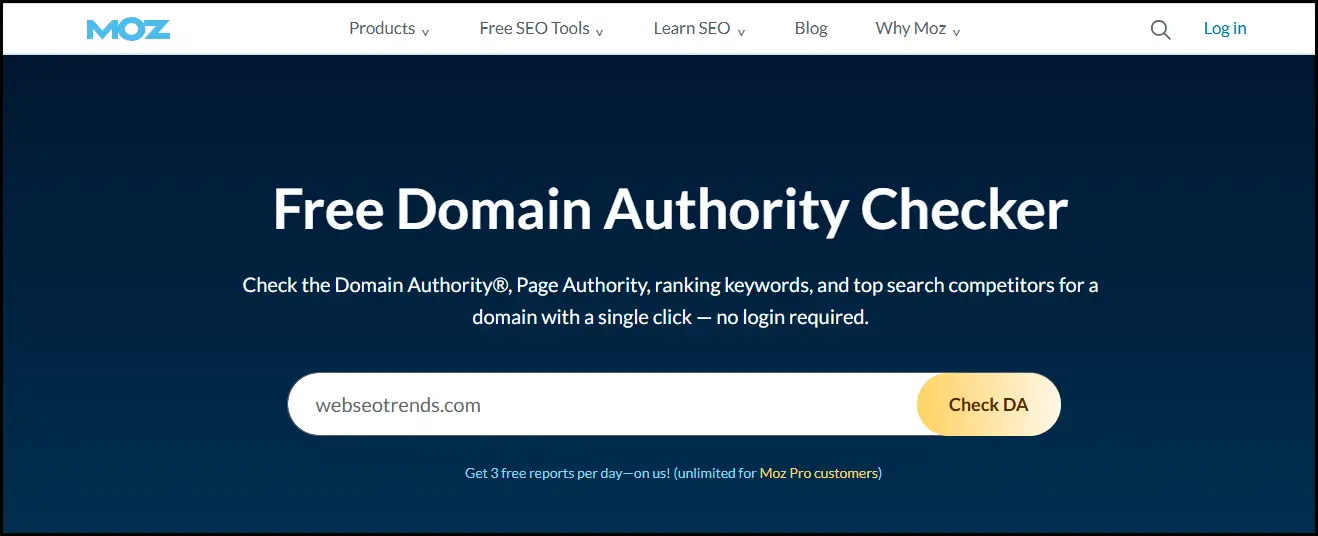
- Why it matters: A higher DA or DR usually means the site has strong backlinks, making it easier to rank new content.
- How to check: Use tools like Moz DA Checker, Ahrefs, or SEMrush.
- Tip: Don’t just buy domains with high domain authority for the sake of numbers. Sometimes a DA 20 domain with clean backlinks can be more valuable than a DA 40 domain filled with spam.
2. Review Backlink Profile Carefully
When you buy old domain with backlinks, it’s crucial to check whether those backlinks are real, relevant, and safe.
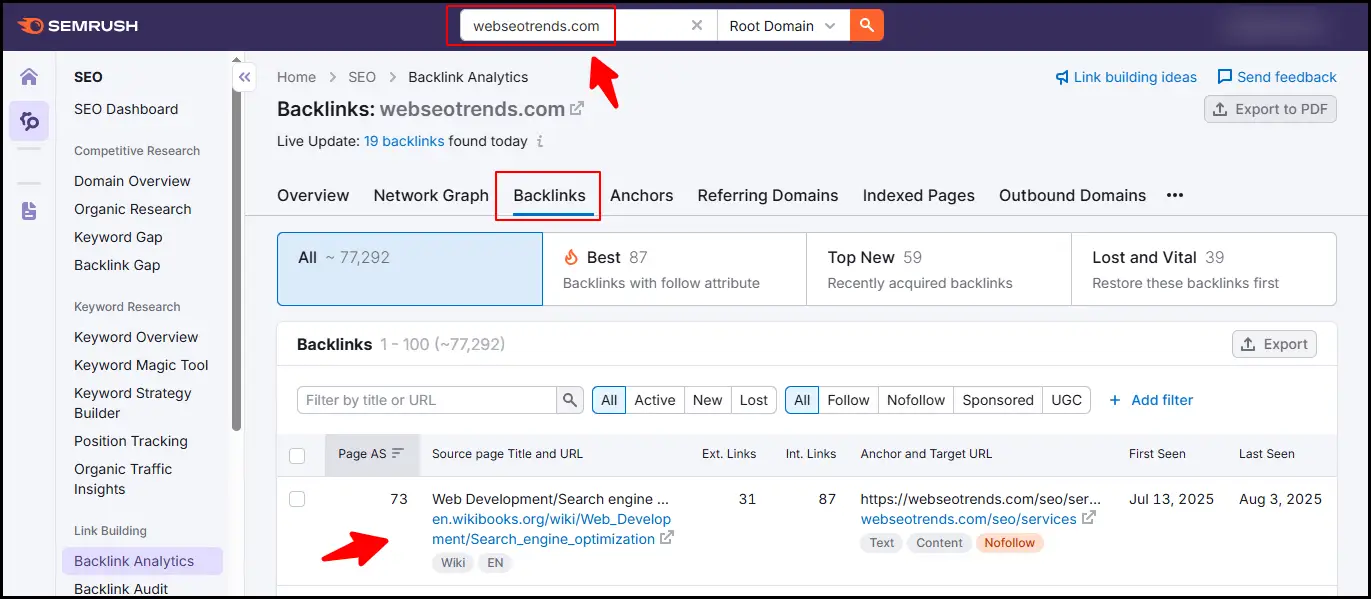
- Good backlinks: Links from news sites, universities, government websites, or niche-relevant blogs.
- Bad backlinks: Links from spam directories, adult sites, gambling sites, or automated blog comments.
- Tools to use: Ahrefs, Majestic, or SEMrush Backlink Audit.
- Why it matters: Expired domains with traffic usually owe their popularity to high-quality backlinks. If those backlinks disappear or are spammy, the domain loses value.
3. Check Organic Traffic History
When you buy expired domains with traffic, you’re not just purchasing a name—you’re acquiring its history, reputation, and search engine presence. A domain that previously attracted consistent organic visitors is far more valuable than one with no traffic record.
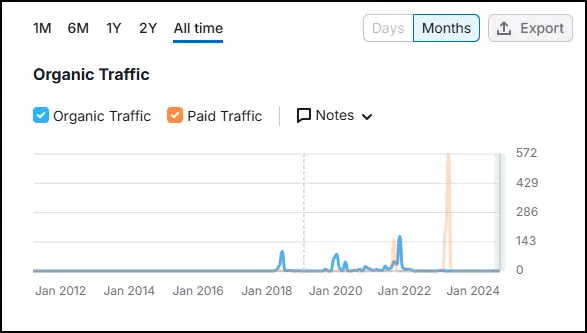
By reviewing its past performance through tools like Ahrefs or SEMrush, you can see whether the domain once ranked for strong keywords, received steady search engine traffic, or built authority in its niche. Choosing an expired domain with proven traffic history ensures that you inherit existing SEO value, making it easier to rank your site faster, attract visitors, and strengthen your overall digital presence.
- How to check traffic: Use tools like Ahrefs’ “Organic Search” report or SEMrush’s traffic analytics.
- Warning signs: If the traffic dropped suddenly, it may mean the domain was penalized.
- Pro Tip: A steady history of traffic—even if it’s low—is better than a domain that had huge traffic and then crashed to zero.
4. Inspect Domain History with Archive.org
Archive.org’s Wayback Machine lets you see what the domain was used for in the past.
- Good signs: The domain was used for a blog, company site, or informative content in a legitimate niche.
- Bad signs: The domain was used for spammy content, link farms, or irrelevant topics (e.g., a health blog turning into a casino site).
- Why it matters: Search engines trust domains with consistent, relevant history.
5. Check for Google Penalties or Spam Score
One of the biggest risks when buying an expired domain is ending up with one that has been penalized by Google. Instead of boosting your SEO, a domain with penalties or a high spam score can drag your rankings down and waste your investment.
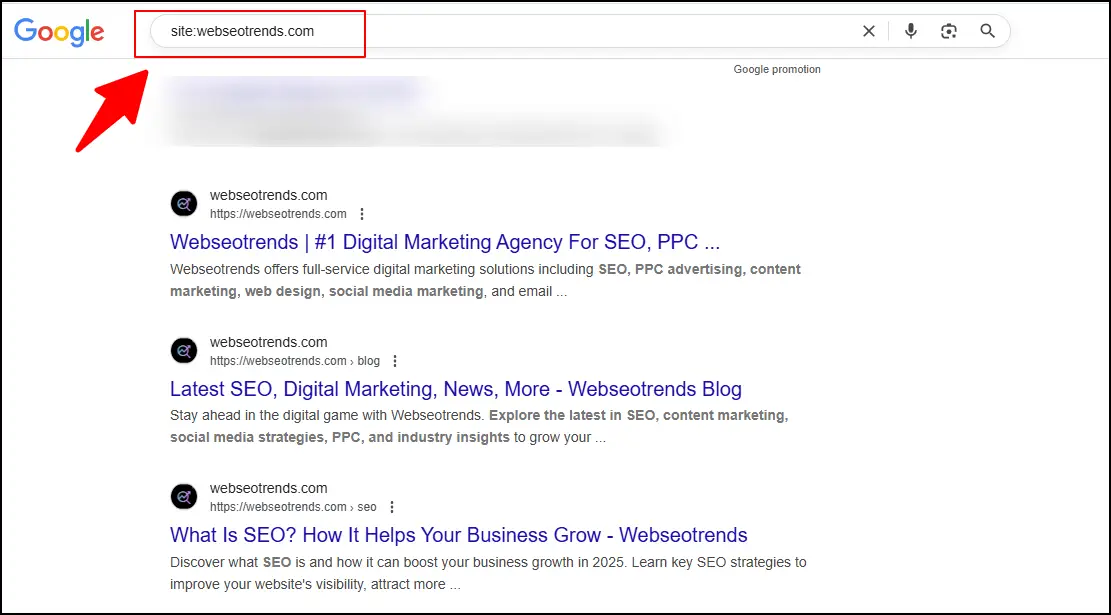
How to check if a domain is safe:
- Google index test: Type
site:domain.cominto Google. If no pages appear, the domain might be deindexed or blacklisted. - Check Spam Score: Tools like Moz Spam Score, Ahrefs Site Explorer, and SEMRush Backlink Audit let you review spam signals and unnatural link patterns.
- Manual penalty alerts: If the domain is connected to Google Search Console, check the “Manual Actions” tab to see if it has any penalty history.
- Wayback Machine review: Visit archive.org to see how the domain was used in the past. If you notice spammy, low-quality, or irrelevant content, it’s a red flag.
Safe range to aim for:
- A Spam Score under 5% is usually considered low risk.
- Domains with higher scores (10%+) should be checked very carefully before purchase.
👉 Pro tip: Always combine multiple tools before making a decision. A domain may look fine in one tool but show issues in another, so it’s worth cross-checking before you buy.
6. Verify the Niche Relevance
Relevance is key in SEO.
- If you run a fitness website, buying an expired domain with traffic from the fitness niche will help you rank faster.
- If the backlinks are from unrelated niches (like gambling, pharma, or adult), avoid it—even if the DA is high.
7. Check Domain Age and Renewal Price
Older domains generally perform better because search engines trust them more.
- How to check: Use WHOIS lookup tools to see domain age.
- Renewal price: Many expired domains are available at normal prices ($10–$15/year) through trusted registrars like GoDaddy, Namecheap, or Dynadot. However, premium expired domains with strong backlinks may cost more.
Final Tip: Don’t just look at numbers. A clean, niche-relevant domain with a solid backlink profile and consistent history is always better than a suspicious high DA domain. If you want to buy domains with high domain authority or an old domain with backlinks, always do a full background check before investing.
How to Use Expired Domains for Fast Rankings
If an expired domain was previously used for a quality website, it can become a powerful SEO asset when used wisely. Since they already come with backlinks, authority, and sometimes even traffic, they can help you achieve faster rankings compared to starting a brand-new domain from scratch.
But the key is knowing how to use them properly without triggering search engine penalties.
1. Build a New Website on the Expired Domain
The most straightforward method is to launch a fresh website on the expired domain. If the domain has a clean history (no penalties, low spam score, and relevant backlinks), it can give your site a head start.
- Example: An expired domain with links from trusted websites like news portals or educational sites can boost your authority in Google’s eyes.
- Best for: Niche websites, blogs, or affiliate projects.
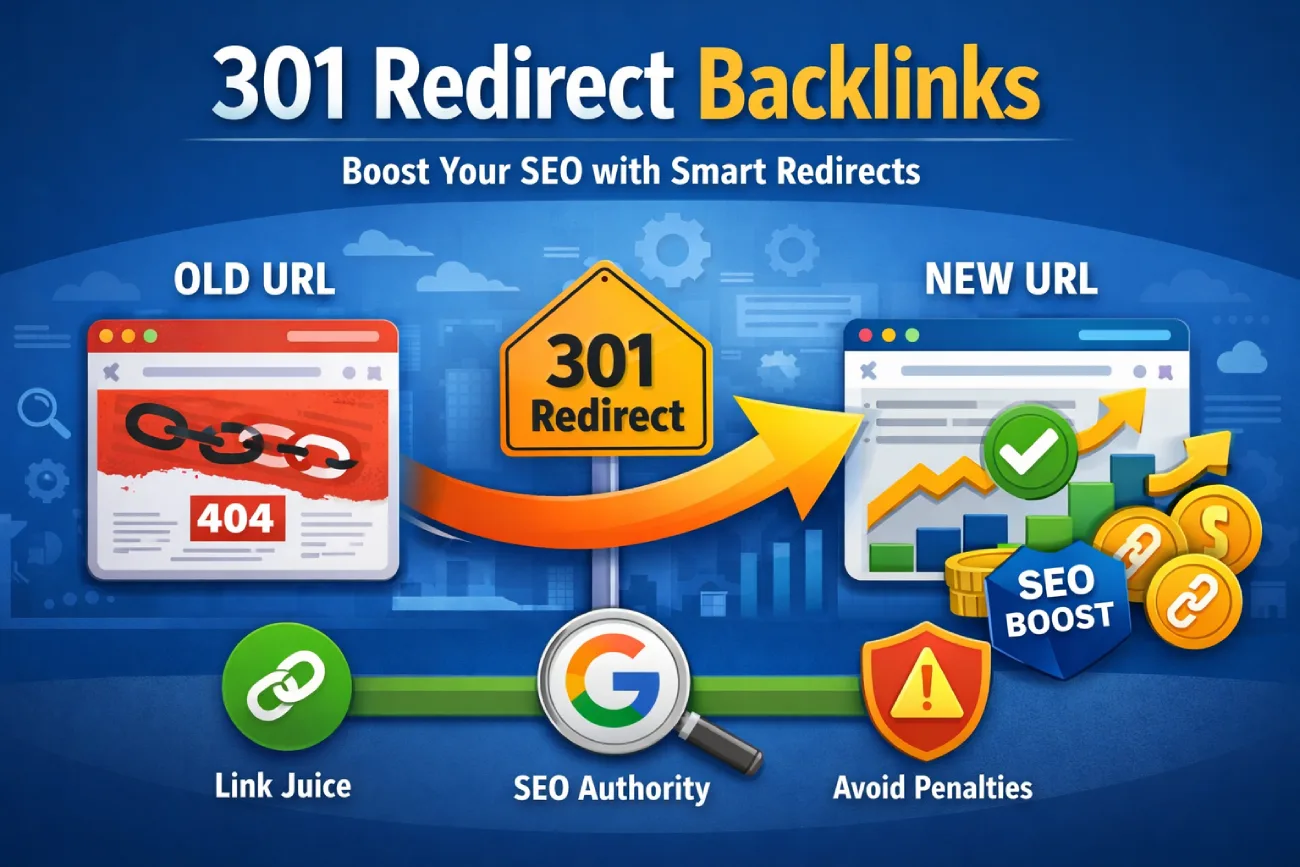
2. Use 301 Redirects to Pass Link Equity
A common strategy is redirecting an expired domain to your main site using a 301 permanent redirect. This passes a portion of its authority, backlinks, and relevance to your existing domain.
- Redirect only if the expired domain is topically relevant to your website.
- Avoid redirecting spammy domains, as that can transfer bad signals too.
3. Create a Private Blog Network (PBN)
Many SEOs buy multiple high-quality expired domains and use them to build a Private Blog Network. Each site in the network links to the main “money site,” boosting its rankings.
- This method is risky if done poorly, as Google actively fights against manipulative link schemes.
- To stay safe, PBN sites should look natural with real content, different hosting, and unique designs.
4. Build Microsites for Targeted Keywords
Instead of one big website, you can use expired domains to create microsites focusing on very specific keywords. These sites can rank independently and then drive traffic (and links) to your main website.
- Example: If you own a digital marketing agency, you could buy an expired domain about “SEO tools” and build a small resource site linking back to your agency site.
5. Recover and Rebuild Old Authority Content
Sometimes, expired domains had great content in the past that earned backlinks. You can use tools like Wayback Machine to see what was published before and then recreate or improve that content.
- This way, you restore lost link equity and keep existing backlinks relevant.
- Add fresh, updated information to keep the site valuable for users and search engines.
Key Tips for Success
- Always check for penalties, spam score, and backlink quality before investing.
- Use tools like Ahrefs, SEMrush, Majestic, and Moz to analyze domain strength.
- Keep your use of expired domains natural and relevant to your niche.
👉 When used correctly, expired domains can accelerate your SEO growth, helping you climb the rankings much faster than relying only on a brand-new domain.
How to Set a Realistic Budget to Buy Good Expired Domains
Buying expired domains can be a smart investment for SEO, but the prices can vary drastically depending on their quality, authority, and history. Setting a realistic budget helps you avoid overpaying while still securing a domain that delivers real SEO value.
Factors That Influence the Cost of Expired Domains
- Domain Authority (DA & DR):
Domains with a higher Domain Authority (Moz) or Domain Rating (Ahrefs) typically cost more because they have strong backlinks and trust signals. - Backlink Profile Quality:
A domain with backlinks from government (.gov), educational (.edu), or top media sites can cost 5x more than one with only generic links. - Organic Traffic History:
If the domain has consistent organic traffic, it’s more valuable. Domains with proven traffic usually start from $200+. - Niche Relevance:
Domains that are highly relevant to a profitable niche (finance, health, tech) command premium prices compared to general-purpose domains. - Auction Competition:
If multiple buyers bid for the same domain, prices can spike significantly, especially for SEO-rich assets.
Average Price Ranges of Expired Domains
| Domain Quality Level | Typical Price Range | Best Use Case |
|---|---|---|
| Low-Quality (DA < 15, weak backlinks) | $20 – $100 | Beginners testing expired domains or small side projects |
| Mid-Tier (DA 20–30, some niche relevance) | $100 – $500 | Building niche sites, PBNs, or supporting blogs |
| High-Authority (DA 30–50, strong backlink profile) | $500 – $2,000 | Money sites, authority projects, long-term SEO investments |
| Premium (DA 50+, backlinks from top-tier sites) | $2,000 – $10,000+ | Serious businesses, affiliate sites, and competitive niches |
Pro Tips for Budgeting
- Set a cap before auctions: Decide your max bid before joining GoDaddy Auctions, NameJet, or DropCatch to avoid emotional overspending.
- Focus on ROI, not just DA: A domain is only worth the price if it aligns with your niche and can generate revenue.
- Start small if you’re new: Beginners should test with a $100–$300 budget before scaling into premium domains.
👉 Key Takeaway: Don’t just chase high DA — balance authority, niche relevance, and cost. A well-selected mid-tier domain can often outperform an overpriced premium one if used strategically.
Frequently Asked Questions (FAQs) on Buying Expired Domains
1. Are expired domains still good for SEO in 2025?
Yes, expired domains can still give you an SEO advantage if chosen wisely. When a domain has a strong backlink profile, relevant niche authority, and no penalties, it can speed up rankings compared to starting a brand-new site. However, quality matters more than age—so always check history and trust signals before buying.
2. How much should I pay for a good expired domain?
Prices vary depending on metrics like Domain Authority (DA), organic traffic, and backlink quality. On average, you can find decent expired domains for $50–$300, while premium domains with strong authority or exact-match keywords can cost $1,000+ at auctions. Always set a realistic budget based on your project’s goals.
3. How do I check if an expired domain is safe to use?
You can check safety by:
- Running a site:domain.com search on Google to confirm indexing.
- Using Ahrefs or SEMrush to analyze backlinks and anchor text.
- Checking Moz Spam Score (below 5% is generally safe).
- Reviewing past history on Wayback Machine.
If you find spammy content or penalties, avoid that domain.
4. Can I use expired domains for any niche?
Ideally, you should buy expired domains with traffic related to your niche. For example, if you’re building a fitness blog, an old health or workout domain will pass more relevant authority. Using unrelated expired domains may not help much and could confuse Google about your site’s topic.
5. What’s better: redirecting an expired domain or building a new site on it?
Both methods work, depending on your strategy:
- 301 Redirects: Send authority to your main site for faster rankings.
- New Website: Build on the expired domain to leverage its traffic and backlinks.
For long-term SEO, rebuilding a niche-relevant site is usually more sustainable.
6. Where can I find expired domains with traffic?
Popular platforms include:
- GoDaddy Auctions
- Namecheap Marketplace
- SpamZilla
- ExpiredDomains.net
- Sedo
These tools let you filter by traffic, backlinks, niche, and price.
7. Do expired domains work for all search engines?
Yes, but the strongest impact is on Google rankings since most backlink metrics are Google-driven. Bing and Yahoo also consider backlinks and authority, so the benefits extend across multiple search engines.
The Bottom Line on Expired Domains with Traffic
Investing in expired domains with traffic can significantly reduce the time it takes to achieve search engine rankings, but only when decisions are based on data rather than surface-level metrics. Evaluating backlink relevance, referring domain quality, and historical topical alignment helps you identify domains that carry real authority and sustainable organic traffic potential.
Relying only on DA or DR scores is a common mistake. A domain with strong niche relevance, natural anchor text distribution, and a clean link history will outperform a higher-metric domain affected by spam or past penalties. Performing proper SEO due diligence—including index status checks, manual backlink audits, and traffic validation—protects your investment and supports long-term SEO growth.
To maximize results, expired domains should be part of a structured content and keyword strategy. Rebuilding important legacy pages, maintaining topical consistency, and publishing high-quality supporting content helps preserve link equity and strengthen overall domain authority. Whether used for an affiliate website, an authority content hub, or a strategic 301 redirect, aligning the domain with clear search intent is what drives stable rankings.
A repeatable workflow for domain filtering, backlink analysis, and traffic verification allows you to scale your research and uncover undervalued opportunities in competitive niches. Over time, this process improves indexing speed, builds topical authority, and generates compounding organic visibility.
Focus on quality, relevance, and user value, and expired domains will become long-term SEO assets rather than short-term experiments.




![10 Best Link Indexing Tools to Index Backlinks Fast [2026 Guide]](https://www.webseotrends.com/wp-content/uploads/2026/01/Best-Link-Indexing-Tools.webp)